
Editing tools shouldn't slow you down. flowy will automatically animate your screen recordings based on your interactions.
Explore real-world examples of our powerful Mac screen recorder.
All examples created solely using flowy.
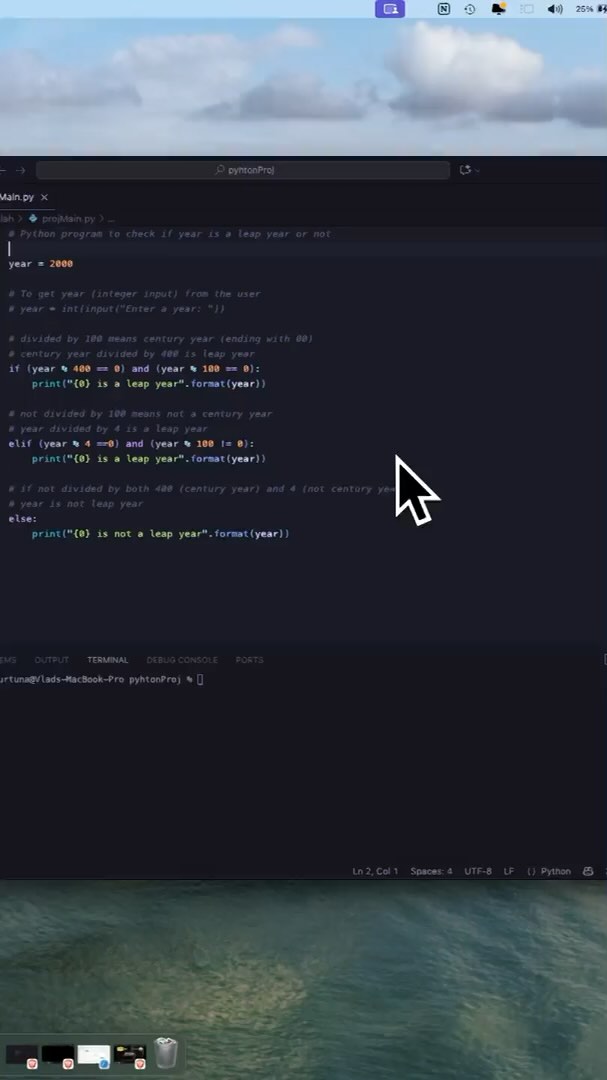
The "Zoomed In" feature makes the recording follow the cursor around, allowing you to target any screen size
Explore our most impactful capabilities, and how they make it easy to create stunning product demos, tutorials, and presentations.
Effortlessly zoom in on important areas of your screen during recording or editing. Animations are automatically applied based on your cursor movements and interactions, but you can always customize them in the editor.
Effortlessly zoom in on important areas of your screen during recording or editing. Animations are automatically applied based on your cursor movements and interactions, but you can always customize them in the editor.
Choose the output format that works for you. Whether you need a widescreen, square, or vertical video, flowy recordings will look stunning on any platform. "Zoomed In" embeds the screen recording into the selected aspect ratio, following the cursor around.
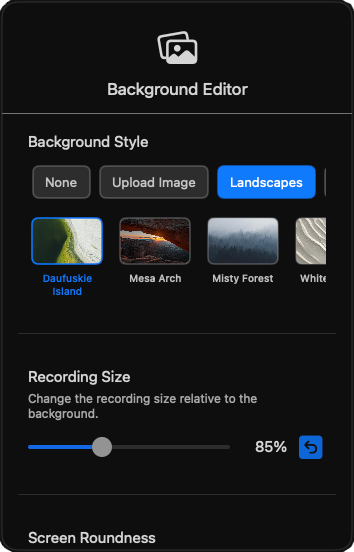
Blur, change and stylize your background to match the selected aspect ratio and make zooms look smooth. You have a wide selection of images such as Landscapes, Abstract or Gradients, but you can also upload your own.
Your webcam will be overlayed on the recording with customizable size, shapes and positions. You can also tweak it by tenths of a second to perfectly sync it with the audio.
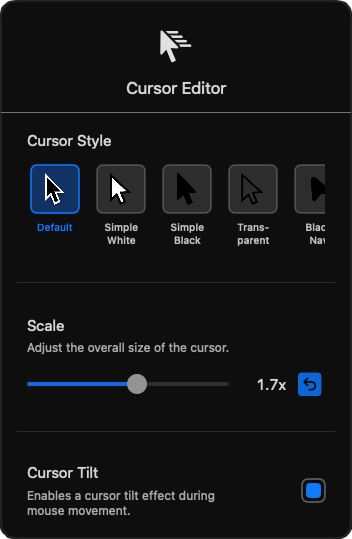
Your cursor is automatically enhanced by using a modern pointer with a bigger scale and tilt, making it look like it smoothly flow around the screen. You can also choose from a variety of pointer styles and effects to make it stand out even more.
This is the comprehensive list of recorder and editor functionalities. Expand to view the full set of current capabilities.
*new versions constantly come out - stay updated on our subreddit
Embed your recordings into any aspect ratio and target any platform. Whether you need a vertical video for social media or a wide format for YouTube, we have you covered.

For high-quality tutorials, product demos, and walkthroughs.

For snappy, engaging clips with built-in trends.

For quick insights, teasers, and product previews.

Showcase product features or ask for feedback.

Add product walkthroughs or explainer videos to boost conversions.

Embed clean, polished videos in your documents and presentations.
For high-quality tutorials, product demos, and walkthroughs.
For snappy, engaging clips with built-in trends.
For quick insights, teasers, and product previews.
Showcase product features or ask for feedback.
Add product walkthroughs or explainer videos to boost conversions.
Embed clean, polished videos in your documents and presentations.
Explore real opinions from people all around the world.
Click any of the reviews to see the original source.
*Mac App Store reviews are sepparate on each region. Open the links in browser to see any of the reviews.
We've designed the app for both new and experienced creators who want beautiful, high-quality screen recordings with minimal effort. Most importantly, no monthly subscription or recurrent tax for updates.